LightDoc · Real file comparisons
PDF to Word:
see the actual results first
Two text-based PDFs we created show the conversion results for a Chinese notice and a simple table. The original PDFs, actual Word outputs, and review notes are all here. Download the files and compare them yourself.
Content and examples: LightDoc · Reviewed:
LightDoc created these sample files; they contain no user uploads. We converted the PDFs to DOCX with the LightDoc converter and kept the original output without manually correcting the layout. The images below provide a comparison; download the Word files to inspect them fully.
These examples show results for these two files only. Scans, tables with complex merged cells, multiple columns, and special fonts may produce different results. OCR for scans is not currently available.
Document organization workshop notice
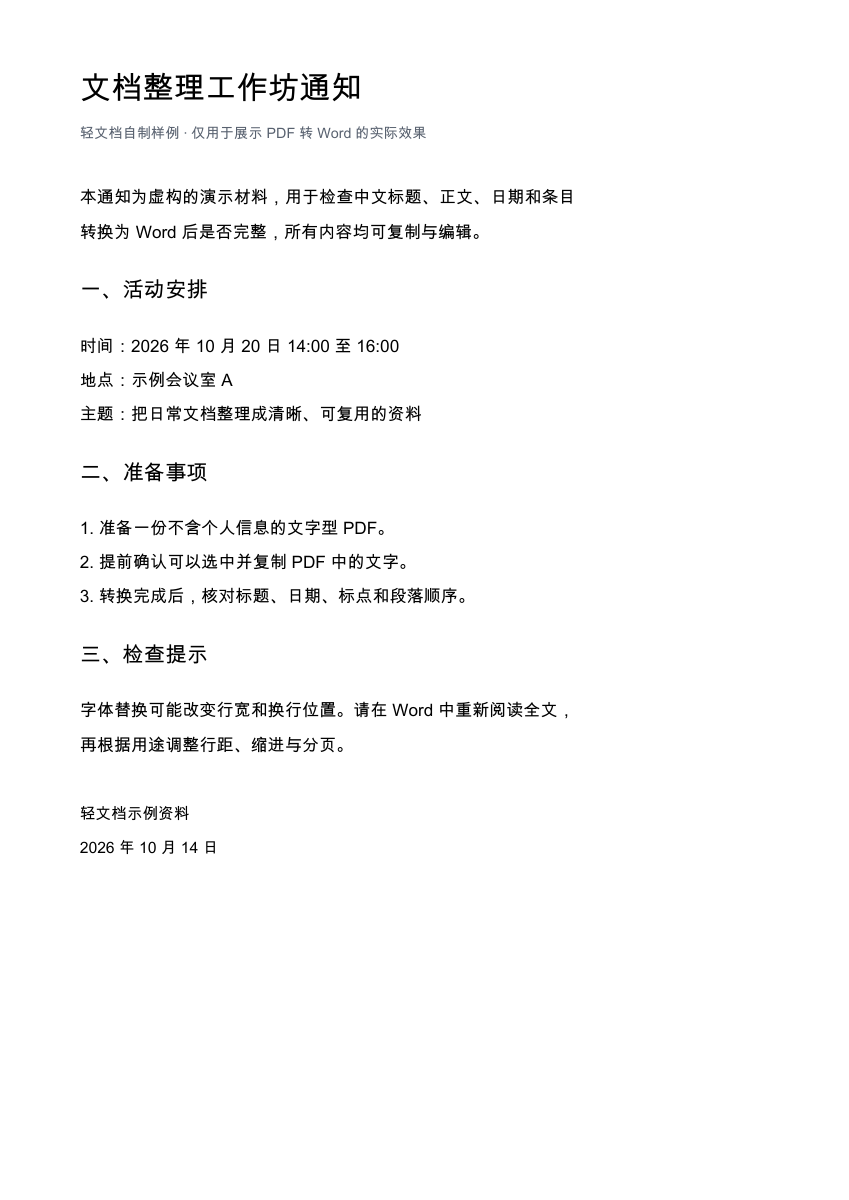
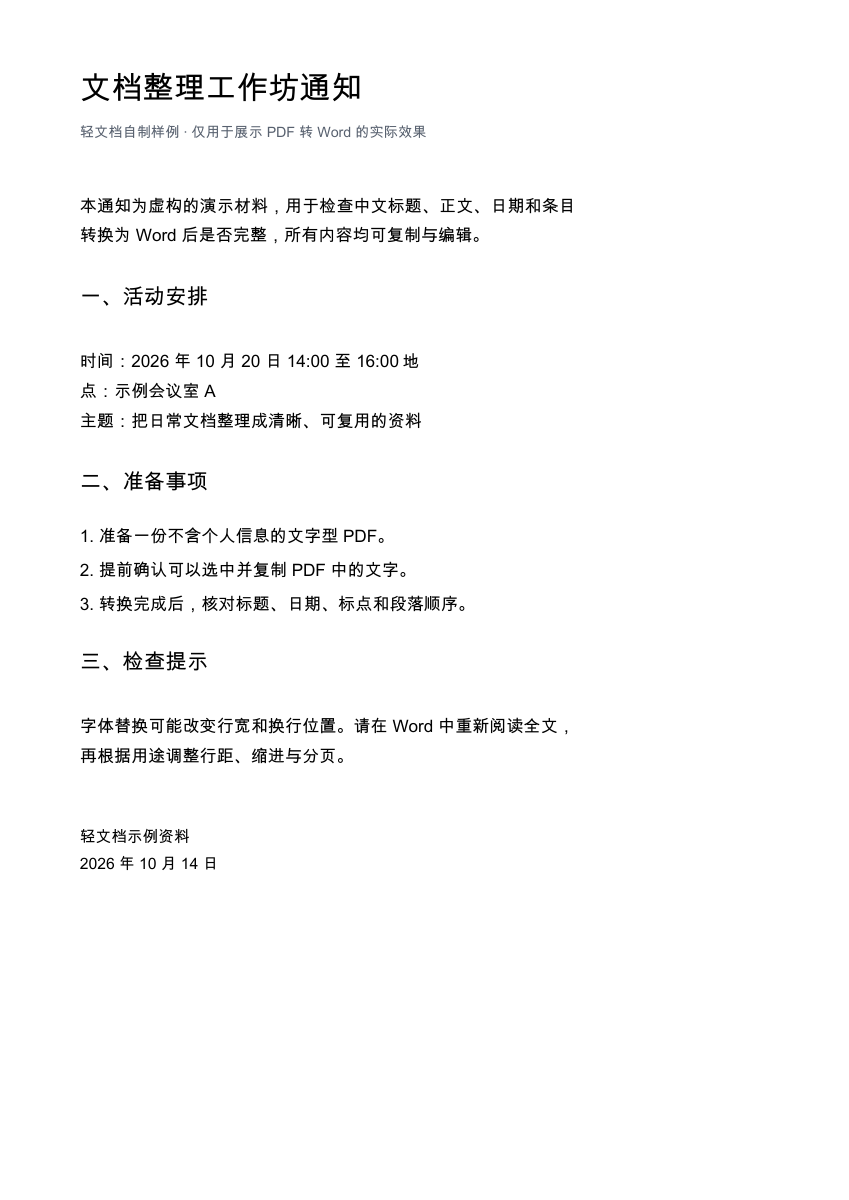
A one-page Chinese notice created by us, with a title, dates, three groups of subheadings, and numbered items. It shows how the body text is preserved and how paragraphs can change.
- Original PDF
- 1 page · 72.0 KB
- Word output
- 1 page (this rendering) · 36.7 KB
- File type
- PDF with extractable text
What we checked in this file
- Ignoring whitespace, all 290 characters in the source PDF and DOCX match exactly, in the same order.
- The event time of October 20, 2026, from 14:00 to 16:00, the three preparation items, and the date at the end are all preserved.
- The input is one page, and the DOCX also renders as one page in this comparison. The body text is editable.
What to keep in mind
- The separate “Time” and “Location” paragraphs in the original PDF were combined into one paragraph. In this rendering, “Location” wraps across two lines. The paragraph breaks need to be restored manually in Word.
- Line spacing, some line breaks, and the position of the closing date changed. Complete text does not mean an identical layout.
Purchase list conversion example
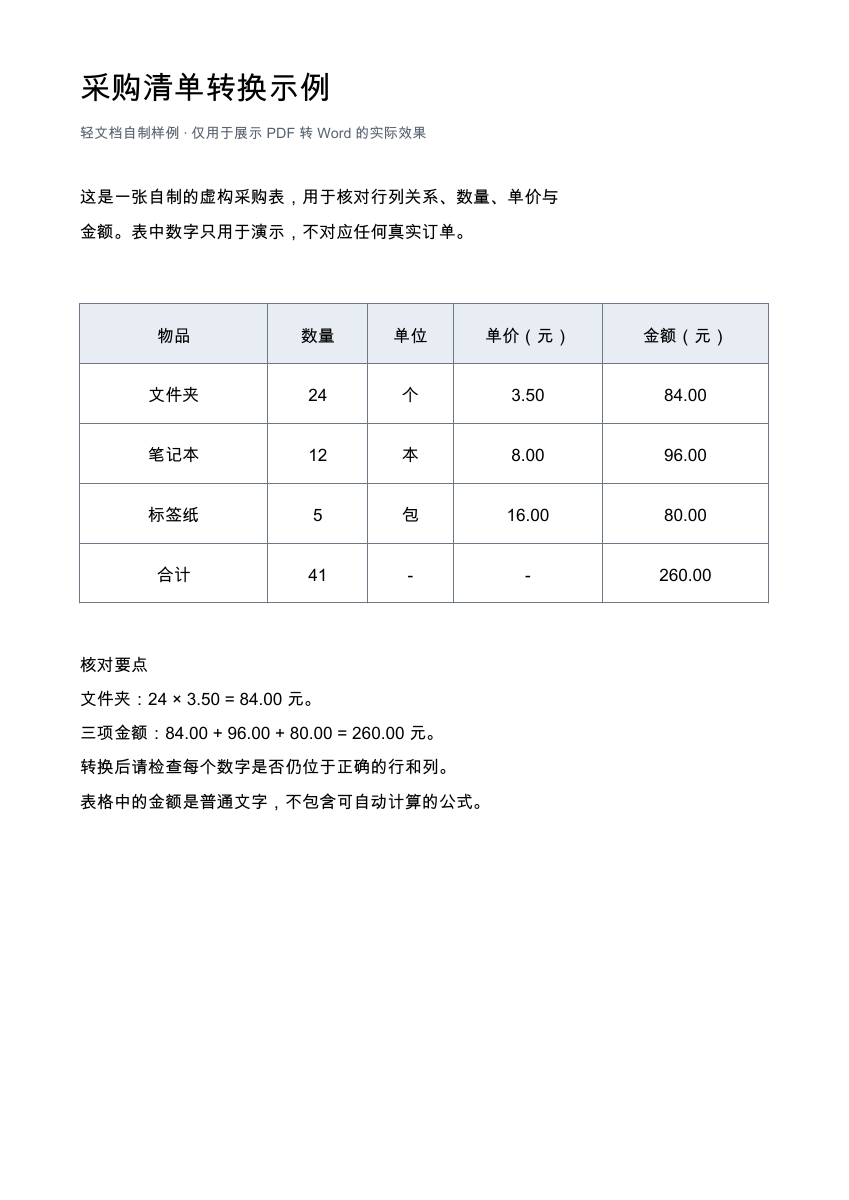
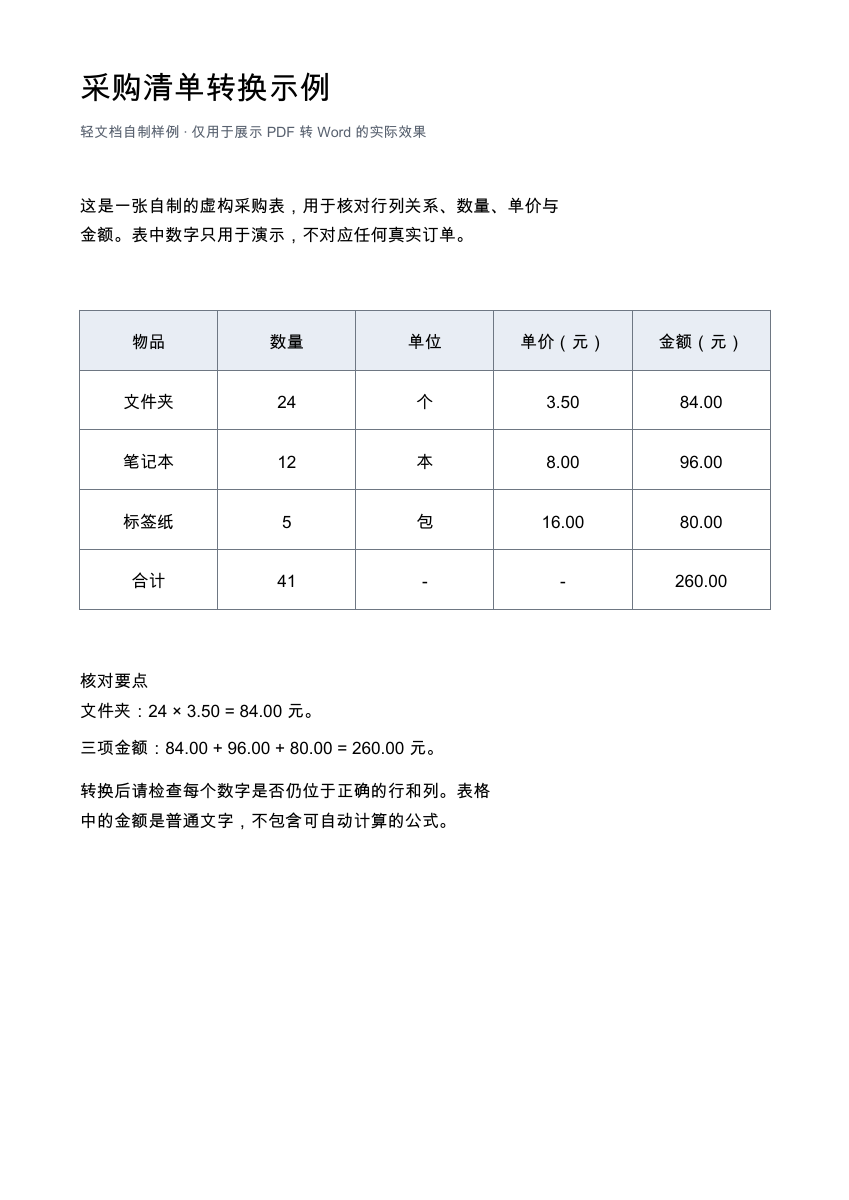
A one-page purchase list created by us, with five columns, five rows, and three fictional items. It shows the actual conversion of table structure, quantities, and amounts.
- Original PDF
- 1 page · 60.1 KB
- Word output
- 1 page (this rendering) · 37.1 KB
- File type
- PDF with extractable text
What we checked in this file
- One native Word table was preserved, with 5 rows × 5 columns. All 25 cells were checked individually and match.
- Folders: 24 × 3.50 = 84.00; notebooks: 12 × 8.00 = 96.00; label paper: 5 × 16.00 = 80.00. The total quantity of 41 and total amount of 260.00 remain in the correct cells.
- Ignoring whitespace, all 258 characters in the source PDF and DOCX match exactly. Both the input and this rendering of the output have one page.
What to keep in mind
- Column widths were redistributed: the original PDF uses different widths, while the columns in this DOCX rendering are nearly equal in width.
- The two review notes below the table were combined into one paragraph, with changes to line breaks and spacing.
- Amounts remain plain text, and the total is not a calculated formula. Complex merged cells and tables spanning multiple pages were not tested in this example.
How should you check your own conversion?
- Start with the content: Compare headings, body text, dates, and numbers. Check for missing content, garbled characters, or changes in order.
- Then check tables: Make sure each value still belongs to the correct row and column. Check units, decimal points, totals, and merged cells.
- Finally, review the layout: Check fonts, line breaks, headers, footers, and page breaks, then decide whether manual adjustments are needed.
The Word page images were generated by rendering the documents; they are not an online layout preview from the website. Different fonts and word processors may change line breaks, positions, and page counts when you open the files.
Try your own text-based PDF
Register and verify your email for one free file per account per day, up to 20 pages and 10 MB.